Lumora CRM

A custom client and sales system for Lumora Digital: clients and contacts, a Kanban pipeline, itemised quotes with configurable VAT and PDF export, tasks, a calendar and live reports — in one place, shaped around the agency’s own sales process.

  • Demo
  • Fully hands-on
  • Web app, mobile-ready
Try the demo
modules: dashboard, clients, pipeline, quotes, tasks, reports, settings
7modules: dashboard, clients, pipeline, quotes, tasks, reports, settings
customisable pipeline stages with drag-and-drop
8customisable pipeline stages with drag-and-drop
VAT rates out of the box, incl. exempt and reverse charge — extendable
6VAT rates out of the box, incl. exempt and reverse charge — extendable
automated unit tests for financial and report calculations
27automated unit tests for financial and report calculations
The problem/ 01

Sales scattered across spreadsheets and inboxes

The agency’s client data, quotes and to-dos lived in four different places. That meant slow quoting and lost deals.

  1. 01 · TODAY

    Client data, history and quotes sit in separate spreadsheets, folders and emails.

    GRANIVEL CRM

    One client profile: details, contacts, timeline, deals, quotes and tasks in one place.

  2. 02 · TODAY

    Nobody sees how many deals are where, and what they’re worth.

    GRANIVEL CRM

    A Kanban pipeline with per-stage totals and probability-weighted expected revenue.

  3. 03 · TODAY

    Quoting means manual maths, VAT mistakes and inconsistent formats.

    GRANIVEL CRM

    Itemised quotes with discounts, configurable VAT, unique numbering and a consistent PDF.

  4. 04 · TODAY

    Management assembles the report by hand at month end.

    GRANIVEL CRM

    Live reports with period and status filters, compared with the previous period.

Modules/ 02

Explore it module by module

Click through the modules — the images come from the hands-on demo.

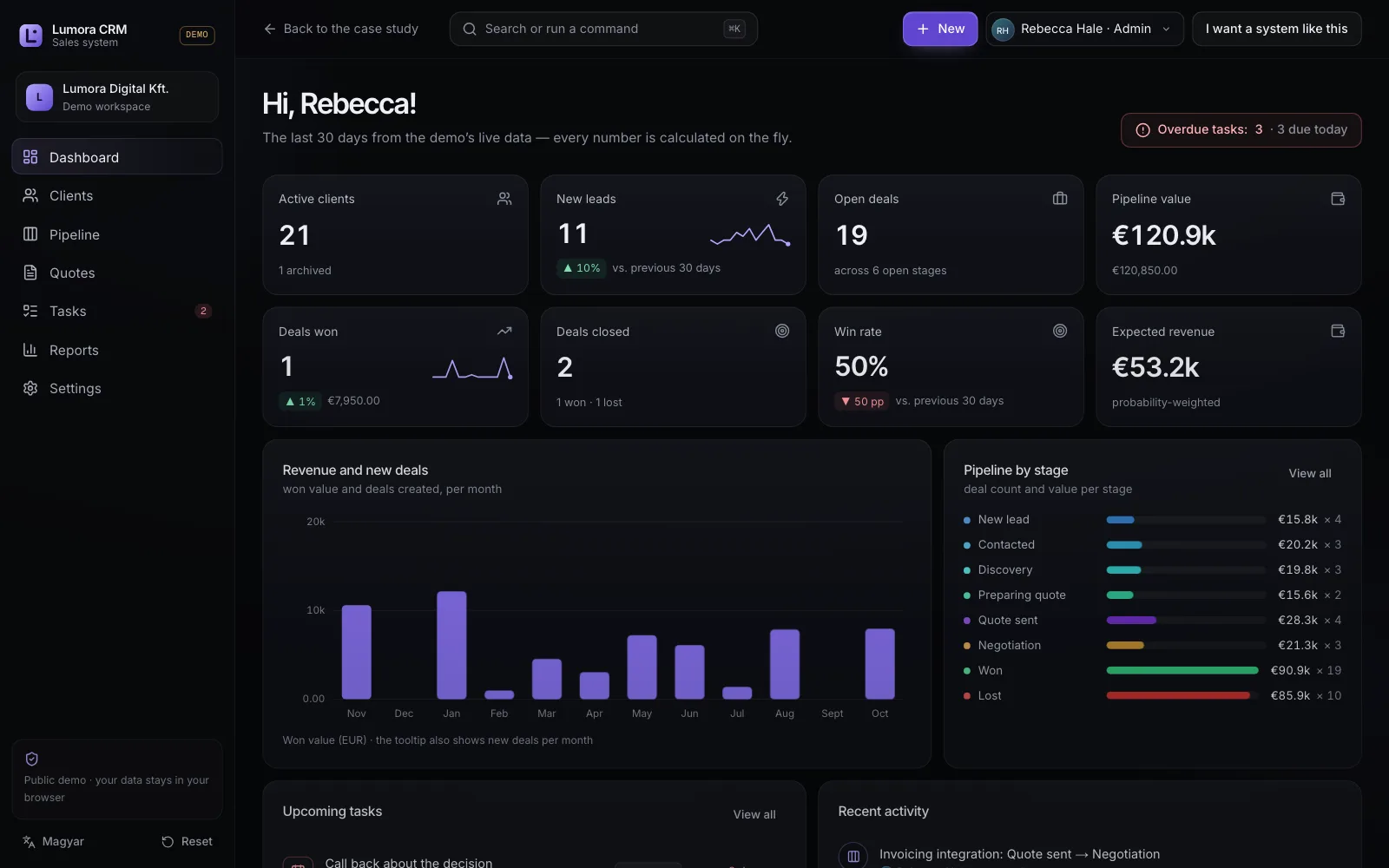
Lumora CRM dashboard with KPIs, revenue chart and pipeline distribution

Dashboard

A complete business picture from the demo’s live data: every metric is calculated on the fly and changes as soon as a deal moves.

  • Active clients, new leads, open deals
  • Pipeline value and expected revenue
  • Win rate, deals won and closed
  • Due tasks, recent activity
Try it/ 03

Eight steps, five minutes — and you’ll see how your team would work

The demo data exists only in your browser — nobody else sees it; “Reset demo” brings back the original state.

  1. 1Open the CRM.
  2. 2Create a new client.
  3. 3Add a sales opportunity.
  4. 4Drag it to another pipeline stage.
  5. 5Create a quote for it.
  6. 6Export it to PDF.
  7. 7Assign a task.
  8. 8See how the dashboard and reports changed.
Architecture and security/ 04

What runs in the demo, and what you get in production

The public demo

  • Runs entirely in your browser with its own isolated data store: no server-side API, no access to other visitors’ or Granivel’s data.
  • Never sends email, never processes payments, never uses real personal data.
  • Roles (Admin, Sales, Viewer) are interface simulations here — the demo says so, because they can be bypassed in a browser.
  • Modular design: financial, KPI and report calculations live in a pure, unit-tested logic layer, independent of the UI.

In production

  • Server-side database and authenticated sessions; permissions are enforced by the server, not the browser.
  • Integrations with your existing systems: invoicing, accounting, email, calendar, web forms.
  • Real email delivery for quotes, with templates and tracking.
  • Logging, backups, GDPR-compliant data handling, EU hosting on request.
FAQ

Frequently asked questions

Is this an off-the-shelf product I can buy?

No — it’s a custom system built around the company’s own process. Lumora CRM shows the quality we work at; for your company the same is built around your process, stages and quote format.

Is there real data in the demo?

No. The clients, deals and quotes in the demo are demo data; whatever you type stays in your own browser.

Can you import our existing spreadsheets?

Yes. Data migration is part of the rollout: clients, contacts, open deals and history can be brought over.

How long does it take to build?

It depends on the modules and integrations. A focused first version is typically a few weeks; we give an exact plan after the free assessment.

What about permissions and security?

In production, permissions are enforced server-side with authenticated sessions and logging. In the demo the role switcher only showcases the interface — and the demo says so clearly.

Try it — then let’s talk about your own system

Five minutes in the demo and you’ll see exactly what it would mean to run your clients, quotes and tasks in one place, around your own process.

Try the demo
Let's build together/ 07

Tell us where your business stands today.

Write a few sentences about what you do and what you want to achieve. We will call you back, or send a free demo for your own industry — whichever you ask for.

Response time
Usually within one business day.
What would you like?

We use your details solely to answer your enquiry.

This is where your customers search

Alongside Google and social media, AI assistants now recommend service providers too. We optimise so they can recommend you.